The Most Affordable WhatsApp CRM for Small Businesses
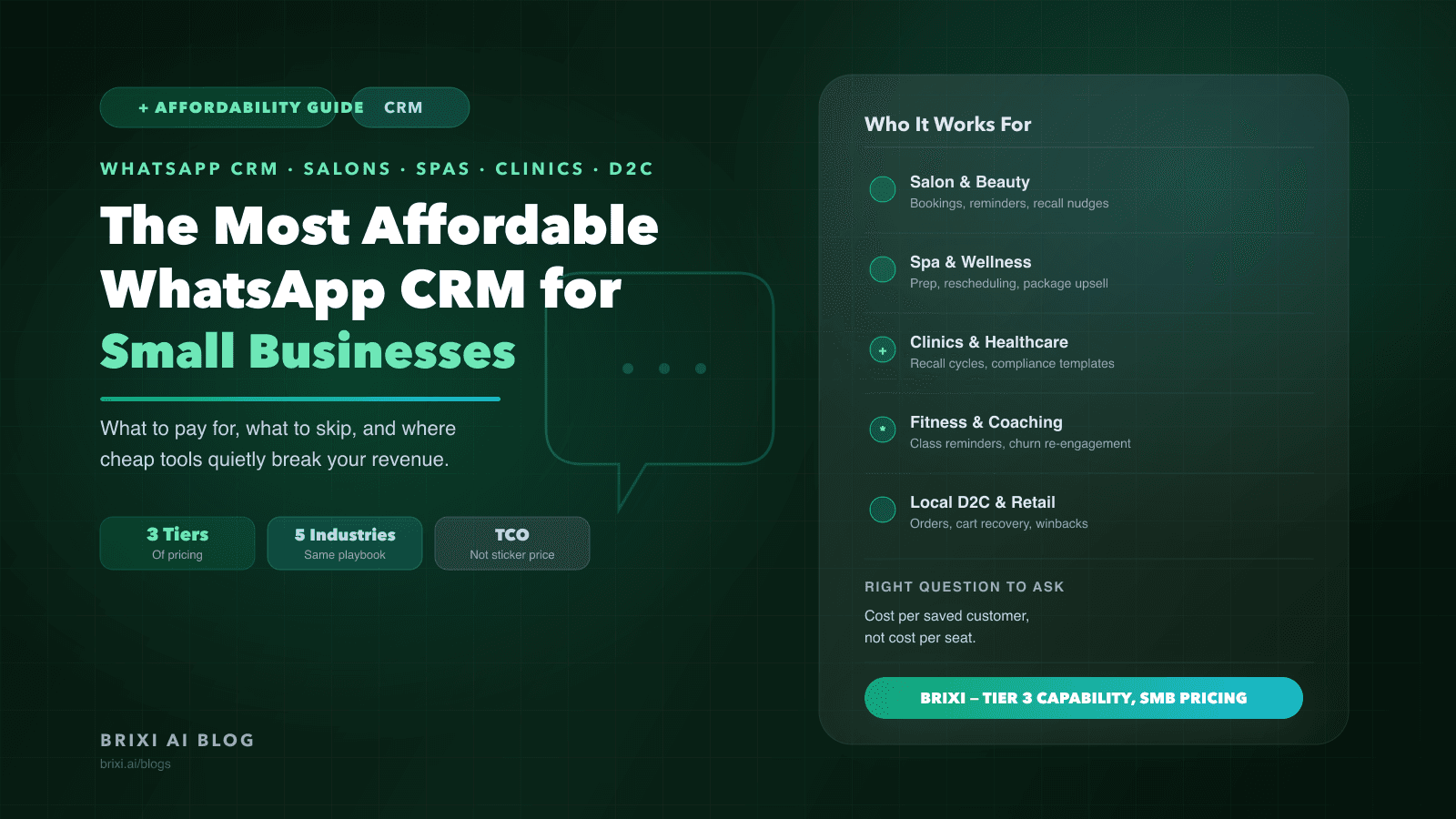
Most small businesses pick a WhatsApp CRM by broadcast cost and end up losing more in no-shows and lapsed customers than they saved on the subscription. Here is how to find the lowest-cost tool that actually protects the repeat business you already earned.
Charu runs a mid-size beauty salon in Thane. Five stylists, about 400 active customers, and 80 bookings a week flowing in through WhatsApp. In early 2025 she switched from a shared phone to a WhatsApp CRM that cost her ₹1,800 a month. Three months later she switched again, this time to a tool that cost ₹21,000 a month. She says it was the cheapest decision she ever made.
The ₹1,800 tool did what the listing promised: shared inbox, broadcast templates, basic auto-reply. What it did not do was recover a customer who booked a keratin treatment and then went quiet for eight weeks. It had no recall logic, no service-window intelligence, no way to know that "quiet for eight weeks" on that specific service meant Charu was losing her to a competitor two lanes away. By the time Charu noticed, she had lost roughly 60 of those customers in a single quarter. The math was brutal.
What is the Broadcast Trap and why does it cost more than the tool?
The Broadcast Trap is the decision pattern that almost every small business falls into when shopping for a WhatsApp CRM. You open a comparison page, sort by monthly price, and optimize for cost-per-broadcast. The logic feels right: you send messages, the tool sends them cheaper, you save money. What the comparison page never shows is what happens between broadcasts. No-shows. Lapsed customers. Recall windows that pass without a nudge. Staff manually typing the same confirmation message 40 times a week. These are not support tickets. They are silent revenue leaks that never get reported.
The Broadcast Trap is not a pricing problem. It is a measurement problem. The right unit of comparison is not cost-per-message. It is cost-per-retained-customer over 12 months. When you run that math, the most affordable WhatsApp CRM for small business often turns out to be the one that looks expensive on the comparison page.
What does a small business actually need from a WhatsApp CRM?
Before touching pricing tiers, get clear on the five things a small business actually needs every day. A salon, a dental clinic, a pilates studio, and a local D2C brand end up asking for the same five workflows. The features vendors lead with on pricing pages are rarely these.
A customer record that lives inside the conversation thread
Every customer needs a single record with the full WhatsApp thread, visit or purchase history, preferences, and staff notes attached. If the inbox and the customer list are separate tabs, staff stop updating the CRM within a month. The moment a stylist has to switch screens to check what service a customer had three months ago, the record becomes fiction.
A shared team inbox with clear ownership
One WhatsApp Business API number should serve the whole business. Each conversation should be assigned to a specific staff member and visible to the owner. Without ownership, two people reply to the same customer with different pricing. Without shared visibility, a stylist going on leave means her regulars wait four days for a reply while her conversations sit unread.
Automation for the predictable 70 percent of messages
Booking confirmations, day-before reminders, post-visit thank-yous, loyalty milestones, review requests, and re-engagement nudges are all predictable enough to automate. A WhatsApp CRM that forces staff to type these manually is burning their time on work that should be a workflow. For Charu's salon, that was the difference between six no-shows a week and one.
Intent signals tied to the customer record
Every reply, every catalog link click, every "is this available?" is a signal. A good WhatsApp CRM surfaces these as a simple "this customer is ready to rebook" alert. Without that, staff work from the top of the inbox rather than the hottest leads, and the actually-interested customer drifts to a competitor while waiting.
Broadcast and drip sequences inside WhatsApp Business API policy
The tool must handle approved templates, opt-in records, and 24-hour session windows correctly, or you risk a number ban. Cheap tools that promise "unlimited broadcasts" through unofficial APIs are not a bargain. A number ban during a festive campaign is the most expensive saving a small business can make.
What does affordable WhatsApp CRM look like in five real industries?
The same WhatsApp CRM delivers different ROI depending on what the business sells and how often customers return. Here is how the core workflows map to five small-business categories that all run primarily on WhatsApp.
Salon and beauty: recall windows drive most of the value
Bookings come through Instagram, website forms, and WhatsApp messages. The CRM should auto-confirm, remind the evening before, send a thank-you the morning after with a review link, and quietly tag the customer for a re-engagement nudge at the right service-specific interval. For a color treatment, that window might be six weeks. For a waxing regular, it might be three. A tool that treats every service identically leaves money in the gap.
Spa and wellness: no-show cost is higher, so double confirmation is table stakes
Longer sessions mean a no-show costs more per slot. The CRM should confirm twice, a day before and the morning of, send prep instructions automatically, and offer a one-tap reschedule if the customer replies they cannot make it. After the visit, a package upsell should go only to customers who did not already buy one. None of it should require a staff member to trigger it.
Clinics and healthcare: compliance is not optional
Appointment confirmation, pre-visit document checklist, post-visit care instructions, and follow-up reminders for recurring treatments. For a dental or dermatology practice, recall automation routinely surfaces patients who are past their next-visit window. A cheap WhatsApp tool with broken template approval or opt-in handling becomes a compliance risk before it becomes a revenue risk.
Fitness studios: churn happens in silence before the cancellation
Class reminders, waitlist management, membership renewals, and re-engagement for members who stopped showing up. A WhatsApp CRM should detect a 10 to 14-day absence pattern and trigger a check-in before the member cancels. Most churn in small fitness businesses is decided two weeks before the formal cancellation request. A tool that waits for the cancellation is already too late.
Local D2C and retail: replies are where the sale happens
Order confirmations, shipping updates, cart abandonment nudges, and repeat purchase reminders. Customers reply with sizing questions, exchange requests, and catalog browsing. A WhatsApp CRM for small business in D2C should tie every conversation to an order, surface the right catalog link, and run a monthly winback sequence for customers who have not purchased in 60 days. Cheap tools handle broadcasts. The right tool handles the replies.
What are the three pricing tiers and where does each one break?
The affordable WhatsApp CRM market clusters into three clear bands. Each has a legitimate use case and a specific failure mode small business owners should understand before committing.
Tier 1: under approximately 2,000 rupees per month
At this price, you are buying a shared team inbox and a template broadcaster. Useful for a solo founder or a two-person shop handling under 50 conversations a week. Breaks the moment you need customer ownership rules, automations beyond a welcome message, or any form of loyalty and recall logic. No vertical-specific fields. You will end up modelling appointments, packages, or orders inside generic tags that staff find confusing within a month.
Tier 2: approximately 5,000 to 15,000 rupees per month
This is where most small businesses settle. A proper WhatsApp CRM with customer records, team inbox, automation builders, and template management. Most tools here are general-purpose SMB tools, not vertical-specific. You get the features, but you build the workflows yourself. Capable, but expect the first month to be a configuration project. Anything non-standard like two-stylist ownership of a single customer, waitlist logic, or recall windows per service category will need a workaround.
Tier 3: approximately 15,000 to 30,000 rupees per month
Purpose-built or heavily opinionated WhatsApp CRMs. Appointments, packages, memberships, orders, and intent signals are first-class concepts rather than custom fields. Workflows ship pre-configured for the relevant industry. Pricing looks higher on paper but the effective cost is often lower because the 4 to 8 weeks of setup and the ongoing cost of maintaining custom automations in a generic tool are already removed.
The cost comparison most vendors hide
A 5,000-rupee generic tool becomes a 25,000-rupee tool once you add the admin hours to build booking workflows, the integration cost to connect your website form and Instagram DMs, and the churn from staff who stop using a system that does not fit their day. Compare 12-month total cost of ownership, not the monthly sticker price.
Which four scenarios reveal whether a WhatsApp CRM will actually hold up?
Most vendor comparisons line up feature checklists that look similar and cost dramatically different things to maintain. A sharper test is to run four concrete scenarios through each tool you shortlist. This exposes the gaps that feature lists hide.
Scenario 1: a new inquiry arrives at 10 pm
Does the CRM auto-respond with an approved template, log the inquiry as a customer record, and queue a staff member for a morning follow-up with full context visible? Or does it drop the message into a general inbox and wait for someone to notice?
Scenario 2: a customer clicks the catalog or booking link at 3 am
Does the CRM capture the click, update the customer record, and surface the re-engagement signal to staff in the morning? Or does it treat the click as an anonymous analytics event with no link to who the customer actually was?
Scenario 3: a booking is confirmed for Saturday
Does the CRM auto-send a confirmation, a day-before reminder, and a post-service thank-you with a review link, all without staff triggering them? Or do those messages depend on someone remembering at the right moment?
Scenario 4: a staff member goes on leave for a week
Does the CRM reassign open conversations automatically and surface any customers waiting too long? Or do threads sit quietly with the absent staff member's name on them until the owner notices in a weekly review?
Where do cheap WhatsApp tools quietly break without a support ticket?
Some failures are visible: a crashed inbox, a blocked number. The expensive ones are quiet. They eat revenue without ever showing up as a problem to be solved.
- Unofficial WhatsApp API providers that get the number banned during a festive campaign and take weeks to restore, by which point customers have found alternatives.
- Template approval workflows that break silently in regional languages, causing messages to fail without a visible error in the dashboard.
- Shared inboxes without ownership rules, so two staff reply to the same customer with different pricing on the same day.
- Automation builders without branching logic, so the post-visit feedback sequence fires even for no-shows who never arrived.
- Link-click tracking that shows up in analytics but does not write back to the individual customer record, making signals invisible at the conversation level.
- Pricing tiers that look flat but charge per message once you exceed a monthly quota, making any festive or seasonal campaign unpredictably expensive.
What does the honest 12-month pricing math look like for a 5-person business?
Back to Charu's salon: five stylists, 400 active customers, 80 bookings a week, monthly revenue of roughly 6 to 8 lakh rupees. Here is what each tier actually costs over 12 months when you count everything.
Tier 1 tool at 1,800 rupees per month
Direct cost: approximately 21,600 rupees per year. Hidden cost: a no-show rate in the 8 to 12 percent range because reminders are manual and inconsistent, and 20 to 30 percent of lapsed customers never receive a recall nudge because the tool has no recall logic. In deployments we see, even one missed recall cycle per month on a business Charu's size swamps the annual subscription savings in the first quarter.
Tier 2 tool at 9,000 rupees per month
Direct cost: approximately 1,08,000 rupees per year, plus roughly 30,000 to 40,000 rupees of admin time to configure booking workflows, reminder templates, and recall sequences from scratch. No-shows drop meaningfully after setup. Recall is partial because the tool does not natively understand service-specific windows. Most teams find it recovers 2 to 4 percent of monthly revenue in additional retention compared to Tier 1.
Tier 3 purpose-built tool at 21,000 rupees per month
Direct cost: approximately 2,52,000 rupees per year. Workflows arrive pre-configured, intent signals are native, and appointments are a first-class concept rather than a workaround. In deployments we observe, this tier consistently recovers 6 to 10 percent of monthly revenue in retention and saves staff 1 to 2 hours a day in manual messaging. The effective cost per retained customer is lower than either cheaper option.
What changes after a full quarter on the right WhatsApp CRM?
The improvements that matter most are rarely the ones on the launch-week dashboard. After 90 days on a purpose-built WhatsApp CRM, teams typically report three shifts that they did not fully anticipate when they signed up.
First, staff stop thinking about follow-ups. Confirmations, reminders, and recall nudges run without anyone remembering to trigger them. That cognitive offload is worth more than most operators estimate in advance, because it lets the team focus on conversations that require genuine human judgment.
Second, the no-show conversation changes. Owners who used to chase the question "why did they not show up?" now watch for the signal that predicts it: a customer who opens the booking confirmation but does not reply within a few hours has a meaningfully different no-show rate than one who immediately confirms. A good WhatsApp CRM surfaces that signal before the appointment, not after.
Third, the team's relationship with WhatsApp analytics shifts. Early on, broadcast open rates are what everyone watches. After a quarter, the useful metric is recall conversion: of customers who received a re-engagement nudge at the right service-window interval, what fraction rebooked? That number tells you more about the health of your retention engine than any broadcast campaign metric.
The deeper bet: Charu was not buying a messaging tool
Charu's decision to pay 11 times more per month was not a decision about messaging. It was a decision about which customers she could afford to lose. The ₹1,800 tool sent messages. The ₹21,000 tool built a model of each customer's return cadence and quietly intervened when that cadence broke. One is an expense. The other is infrastructure.
The contrarian reading of "affordable WhatsApp CRM for small business" is this: the most affordable tool is rarely the cheapest one listed. It is the one whose cost is smallest relative to the revenue it protects. For a business whose repeat customers are its primary growth asset, a system that understands when a regular is about to leave and acts before they do is not a luxury. It is the lowest-cost way to run the business.
Most small businesses will never need the sophistication of an enterprise CRM. But every small business whose revenue depends on repeat visits or repeat purchases needs a WhatsApp CRM that can close the Broadcast Trap: a tool that measures the right thing, automates the right moments, and makes it structurally hard for a good customer to drift away unnoticed.
Is your WhatsApp CRM recovering customers or just sending messages?
Brixi ships WhatsApp automation, intent signals, and customer retention workflows as one bundle built for Indian SMBs. No per-message surprises, no setup project, no enterprise pricing.
See How It WorksFrequently Asked Questions
Basic shared-inbox tools start under 2,000 rupees per month, but they typically lack customer ownership rules, recall automation, and intent signals. For a business running recurring appointments or repeat-purchase sequences, the most affordable WhatsApp CRM is usually a purpose-built tool in the 15,000 to 25,000 rupee range, because it recovers more customers per month than it costs to run.
Yes. Purpose-built WhatsApp CRMs for SMBs ship with booking confirmation, day-before reminder, post-visit thank-you, and recall sequences pre-configured for common service windows. Salons and spas that move from a manual shared-phone setup to a dedicated WhatsApp CRM typically see no-show rates fall within the first four weeks, because the reminder automations run consistently rather than depending on a staff member remembering.
Yes. A real WhatsApp CRM for small business runs on the official WhatsApp Business API, not the WhatsApp Business App. The API supports shared team inboxes, approved templates, and automation. API access comes through an official Business Solution Provider. Pricing includes a platform subscription plus WhatsApp's per-conversation fees, which vary by conversation type. Tools that promise unlimited broadcasts outside the official API are using unofficial methods that risk number bans.
Compare 12-month total cost of ownership, not the monthly subscription price. Factor in the admin hours required to build and maintain workflows, any integration costs to connect your booking or ecommerce system, and an estimate of revenue lost to no-shows and missed recall windows on each tool. Run four concrete scenarios through each shortlisted tool: a late-night inquiry, a 3 am catalog click, a Saturday booking, and a staff member going on leave. The tool that handles all four without manual intervention is the affordable one, regardless of its sticker price.