The Simplest CRM for Real Estate Channel Partners
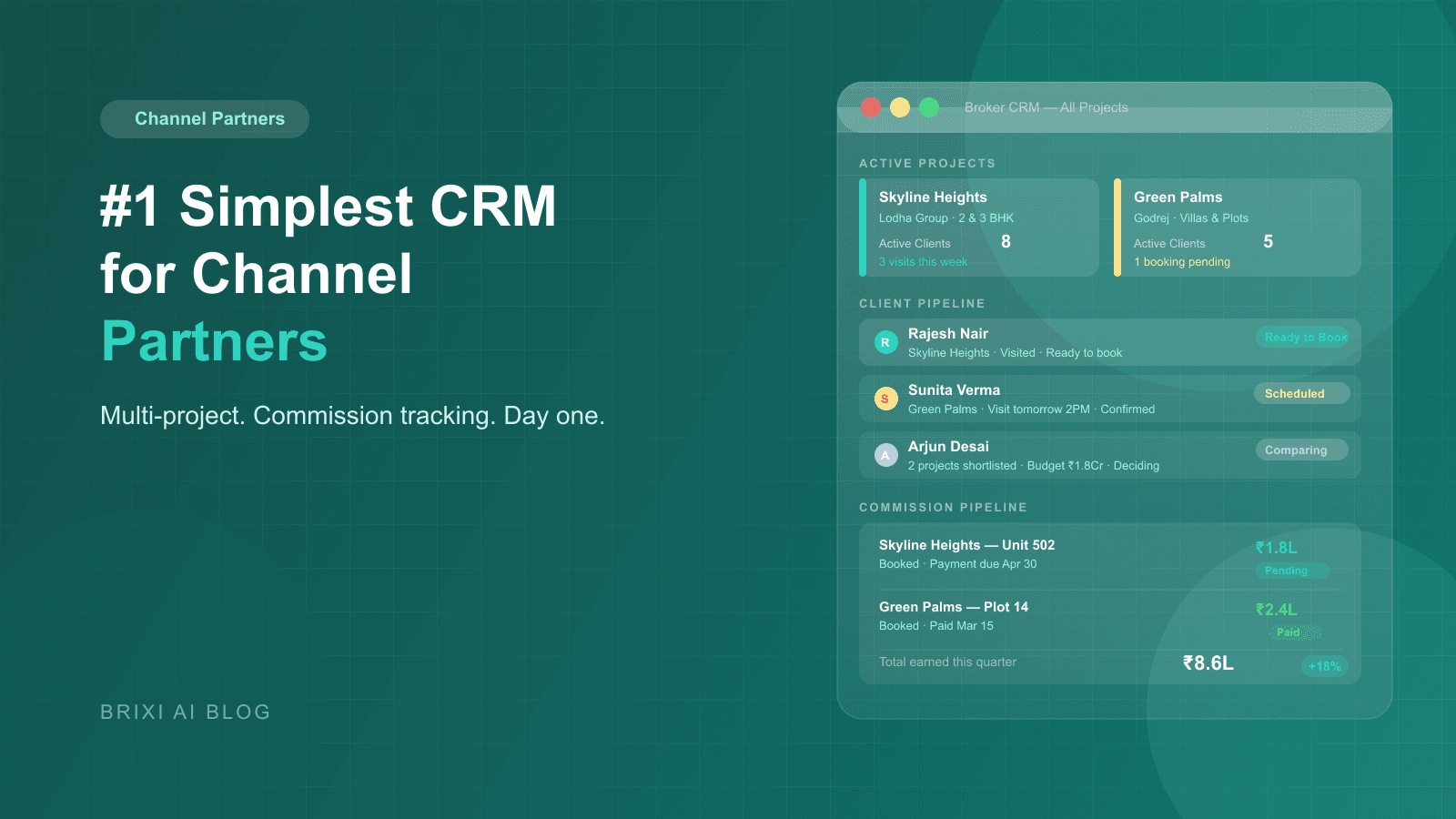
Channel partners manage dozens of developers, hundreds of leads, and zero patience for complicated software. The right broker CRM tracks visits, commissions, and every client conversation in one place, without a week of training or an IT team to run it.
Umesh runs a ten-person brokerage in Indore. On a Tuesday morning in November, he had four site visits scheduled across three developer projects, a commission dispute with one developer from 60 days ago, and two associates who had each spoken to the same client the previous week without knowing it. By noon, two of the visits had happened, one client had gone cold, and the commission dispute was still unresolved because Umesh could not find the original booking confirmation. He was not disorganized. He simply had no system that could hold all of this at once.
That afternoon, Umesh's senior associate sent a follow-up WhatsApp to the prospect asking about "Project Aria", a project the client had explicitly rejected two weeks earlier. The client replied with one word: "Already told you." That lead did not come back. The failure was not a missing CRM feature. It was the absence of any shared memory across Umesh's team. The Shared Client Memory problem is what kills channel partner businesses quietly, one lost lead at a time.
Why a Developer CRM Is the Wrong Tool for Brokers
Most CRMs sold to real estate teams are built for developers managing one project. The pipeline is linear: inquiry, site visit, negotiation, booking. That model assumes one product, one sales team, and one set of commission rules. A channel partner's reality is the opposite. Umesh is simultaneously managing referrals for eight developers, with clients who are comparing units across four of those projects at the same time. A developer CRM treats each client as a single-project lead. That is the wrong unit of analysis for a broker.
The contrarian-but-true claim here: most brokers do not need more CRM features. They need fewer, better-chosen ones. An enterprise platform with custom fields and workflow automation is not going to get adopted by a field team that runs on WhatsApp and instinct. The broker CRM that wins is the one that handles the five or six things channel partners actually do every day, and does each of them in under three taps.
What Is the Shared Client Memory Problem for Channel Partners?
The Shared Client Memory problem is what happens when each member of a broker team holds a fragment of a client's history in their own head, their own WhatsApp thread, or their own call notes. The principal knows the client was referred from a housing society event. One associate knows the client rejected a 3BHK at Project Aria because of parking. Another associate knows the client is ready to decide by month-end but only if the payment plan stretches to 36 months. None of them can see what the others know.
When a new associate picks up the lead, they start from scratch. They ask the same qualifying questions the client answered three weeks ago. They pitch the rejected project. They miss the 36-month payment plan requirement entirely. The client reads this as incompetence. From the outside, it looks like a broken brokerage. From the inside, it feels like chaos that somehow keeps happening. The Shared Client Memory problem does not require a disorganized team to appear. It requires only a team without a central record.
What Does a Channel Partner Actually Need From a Broker CRM?
Before evaluating any platform, it is worth being precise about what channel partner workflows actually look like. A broker's day is not a linear funnel. It is a set of parallel mini-funnels, one per developer relationship, all running across a shared pool of clients. The software has to model that reality.
- Multi-project lead management: one client can be in active consideration for three developer projects at the same time.
- Visit logging per project, with structured post-visit feedback, not a blank notes field.
- Commission tracking per booking: rate stored, payment date expected, partial payments recorded, overdue flagged.
- Developer-wise inventory visibility so no associate pitches a unit that was booked yesterday.
- A shared client timeline: every call, visit, WhatsApp, and document exchange visible to the whole team.
- Role-based access: associates see their leads, principals see everything including commission forecasts.
- Mobile-first: brokers work from the field, and the app needs to work the same as the desktop.
How Should Property Visit Tracking Work for a Broker?
The site visit is the highest-leverage moment in a broker's sales cycle. Weeks of nurturing narrow to one afternoon. A CRM that treats the visit as a checkbox misses everything that matters. For a channel partner, a visit is a three-part workflow: preparation, execution, and structured debrief. Each part has distinct data that shapes every conversation that follows.
Before the Visit: The Full Client Briefing
Before arriving on site, the broker opens the client record and sees a complete picture: budget, preferred configuration, projects already visited, objections raised in every prior call, and the most recent associate note. Walking into a site visit with this context is the difference between a client feeling understood and a client feeling like they are starting over. It is also the difference between a broker who sounds like a trusted advisor and one who sounds like a first call.
During the Visit: Mobile Check-In and Live Inventory
A broker-first CRM has a mobile check-in flow that takes under 30 seconds. The visit is timestamped, the client record is updated to "visit in progress," and the broker can check live inventory for the project being visited. If the client's preferred unit was blocked by another booking that morning, the broker knows before the tour starts, not during an awkward conversation in front of the developer's site team.
After the Visit: Structured Feedback That Drives the Next Move
The most common failure in post-visit follow-up is vagueness. A note that says "client visited, liked it but not sure" produces a generic follow-up message. A structured feedback capture that asks: which unit did the client prefer, what was the main objection, what is the agreed next step, and what is the decision timeline produces a specific and timely next action. The structured form takes 60 seconds. The improvement in follow-up quality is not marginal.
- Pre-visit briefing: full client history, previous objections, and budget visible before arrival.
- Live inventory check on mobile so unavailable units are never pitched on site.
- Visit check-in timestamps the interaction and updates the shared client record.
- Structured post-visit form: preferred unit, main objection, next step, decision timeline.
- Automatic summary sent to the client over WhatsApp after the visit closes.
- Second-visit reminder auto-created if the client is marked as undecided.
How Do You Manage 10 Developer Projects Without Losing Track?
A productive channel partner typically works with 8 to 15 developer projects simultaneously. Managing this across WhatsApp groups and shared Excel files is not just inefficient. It is a reliable way to pitch stale inventory, confuse client history across projects, and lose track of which developer owes what. A simple CRM solves this with a structured multi-project architecture that keeps every project clean without requiring constant manual upkeep.
Project Cards With Live Inventory and Commission Terms
Each developer project gets its own card in the broker CRM showing current inventory, pricing, available configurations, and the stored commission rate. When inventory changes or commission terms are revised, the card updates in one place and every associate sees it. The most common inventory pitching error in broker teams is not carelessness. It is a version control problem. One person updated the Excel file and the other did not get the message. A shared project card removes that failure mode.
Matching Clients Across Projects
The CRM tags each client with every project they are actively considering. When a client is in the deciding stage, a broker can see all the projects visited, which units were shortlisted at each, and how each project compares on the factors the client raised: price, possession timeline, parking, and payment plan flexibility. This is the data that turns a follow-up call from a check-in into a recommendation.
Team Pipeline With Role-Based Visibility
A ten-person brokerage needs pipeline visibility to be layered. Associates see their own assigned leads and nothing else. Senior brokers see the full project pipeline for the developers they manage. The principal sees everything: all leads, all projects, all commission entries, and all follow-up lag metrics. A simple CRM configures this in minutes, not weeks. There is no IT department in a broker's office, and the access model has to be self-serve.
What Changes After a Quarter of Solving the Shared Client Memory Problem?
The first thing that changes is associate behavior. When every team member can see the full client history before making a call, the qualifying calls stop repeating themselves. Clients stop getting asked about budget and configuration preferences they already shared. The tone of conversations shifts from transactional to informed, and clients notice.
The second change is in commission disputes. When every booking is logged against a client, a project, and a commission rate at the time of the booking, there is no ambiguity three months later about what was agreed. The broker goes into a reconciliation conversation with a report, not a memory. Developers who previously delayed commission payments because disputes were hard to resolve tend to pay faster when the documentation is precise.
The third change is in lead recovery. Follow-up lag tracking shows which clients have gone without contact for more than five days. In a manual workflow, those clients simply drift. In a system with follow-up lag alerts, they get a timely and specific outreach. Even recovering 10 to 15 percent of those drifting leads over a quarter represents a material change in bookings for a brokerage that was previously losing them silently.
The Five Reports a Channel Partner Needs and Nothing More
The anti-pattern in most broker CRM evaluations is prioritizing the breadth of reporting. A platform with 40 reports sounds more capable than one with five. In practice, 35 of those reports never get opened, and the five that matter get buried. A CRM built for channel partners surfaces exactly what a broker principal needs to run the business.
- Active Client Pipeline Report: every client grouped by stage, from first inquiry through ready-to-book.
- Visit-to-Booking Conversion Report: how many visits each developer project required per booking, so referral energy goes to the right projects.
- Commission Pipeline Report: every confirmed booking with commission amount, expected payment date, and current status.
- Project Performance Report: referrals sent, visits completed, and commissions earned per project over 30, 60, and 90 days.
- Follow-Up Lag Report: clients who have had no contact in more than five days, surfaced before they go cold rather than after.
Commission Tracking Without Spreadsheets or Disputes
Commission disputes between channel partners and developers are almost always documentation failures. The broker believes one rate was agreed. The developer's accounts team has a different number on file. Neither party has a timestamped record of what was confirmed. The broker who tracks every booking with commission rate, expected date, and partial payments in a shared system goes into every reconciliation with facts rather than frustration.
- Commission rate stored per project, updated with a timestamp whenever terms change.
- Every confirmed booking auto-generates a commission entry at the stored rate.
- Expected payment dates tracked with overdue flagging after a configurable waiting period.
- Partial payment recording: if 50 percent is paid, the outstanding amount is visible immediately.
- Commission statements exportable by developer for monthly reconciliation.
- Dispute history: if a rate is challenged, the stored rate and the date it was set are available as documentation.
The Monday morning broker review
The most effective principals spend 20 minutes every Monday with two reports: the Active Client Pipeline and the Commission Pipeline. The first tells you who needs a call this week. The second tells you what is owed and who owes it. Every other report is secondary to these two.
Why Simplicity Is a Strategic Choice, Not a Limitation
The named anti-pattern in broker CRM selection is equating complexity with capability. A platform that requires a two-week onboarding, a configuration consultant, and a dedicated admin is not more powerful for a ten-person brokerage. It is less useful, because it will not be adopted by the people who need to use it every day in the field. A CRM that a broker team adopts completely is worth ten times more than a sophisticated one that three of the eight associates use inconsistently.
The tools that win with broker teams share a set of design choices: WhatsApp-first notifications because that is the communication layer the industry already operates on; mobile parity so the app works identically in the office and on a site visit; forms that pre-fill from existing client context so the same information is never entered twice; and reports that run with zero custom configuration from the first day of use.
Umesh at the End of the Quarter
Three months after solving the Shared Client Memory problem, Umesh's brokerage looked different in a few specific ways. His associates stopped calling clients about rejected projects because the project preference tags were visible to everyone in the team before dialing. The duplicate lead problem that had cost him one clear commission dispute was caught automatically by phone number matching before it became a conflict. And the commission statement for the November bookings was settled in one meeting instead of three, because Umesh walked in with a printed report and the developer's accounts team had nothing to contest.
The total change was not a transformation. It was the quiet elimination of five recurring failure modes. Commission disputes down. Duplicate outreach down. Missed follow-ups down. Associate onboarding time cut from two weeks to three days. And one metric that Umesh had never been able to track before: the follow-up lag report showed that his team was reaching back to undecided clients an average of 3.2 days faster than the quarter before. That speed alone accounted for two bookings that he is reasonably confident would have gone elsewhere.
Is your broker CRM solving the Shared Client Memory problem?
Track every client across every developer project, manage commissions without spreadsheets, and give your team shared memory from day one.
Book a DemoFrequently Asked Questions
The simplest broker CRM is one that handles the five core workflows of a channel partner without configuration overhead: multi-project client tracking, property visit logging with structured feedback, commission tracking per booking, shared client history across the team, and follow-up lag reporting. Simplicity is defined by adoption rate, not feature count. A CRM that every associate uses consistently on day one is simpler than a feature-rich platform that half the team ignores by week three.
Commission tracking in a broker CRM works by storing the agreed commission rate per developer project and automatically generating a commission entry when a booking is logged. The entry includes the expected payment date, partial payment recording, and overdue flagging after a set period. The result is a commission pipeline report that a broker can bring to any reconciliation meeting with documented figures rather than approximations.
Yes, and multi-project management is the defining requirement that separates a genuine broker CRM from a repurposed developer sales tool. Each project needs its own inventory view, pipeline stage, and commission structure. Clients need to be tagged to all projects they are considering simultaneously. And the commission report needs to aggregate across all projects so the principal sees the full earnings picture in one view.
The best visit tracking for a broker captures three stages: a pre-visit briefing drawn from the full client history, a mobile check-in that timestamps the visit and shows live inventory, and a structured post-visit feedback form covering preferred unit, main objection, next step, and decision timeline. A blank notes field is not visit tracking. It is a place where context goes to die before the next associate picks up the lead.