Inquiry qualification
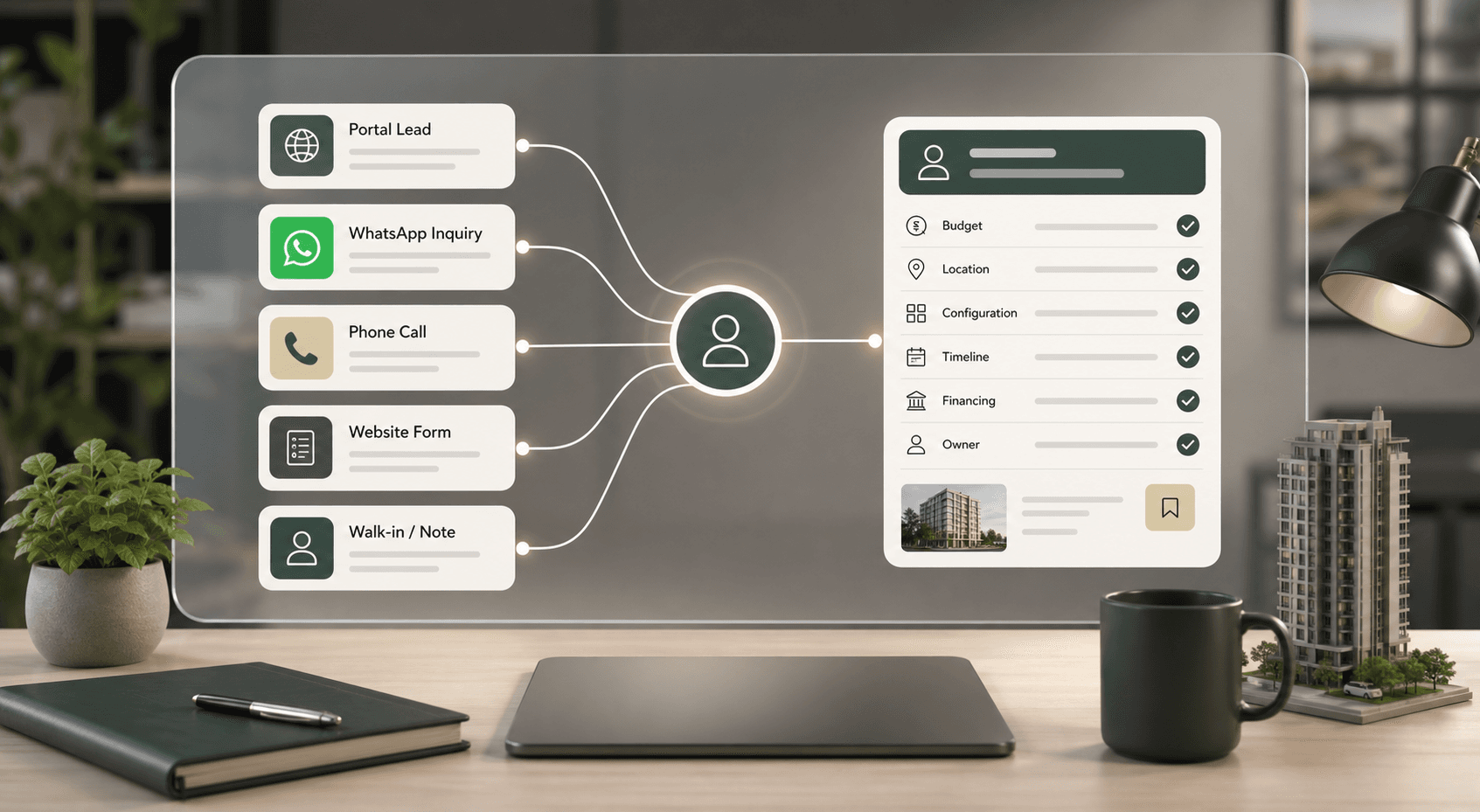
Every portal, ad, WhatsApp, and web inquiry is structured by project, location, budget, configuration, timeline, and source.
Agents receive cleaner buyer context before they call.
Brixi gives real estate teams one place to qualify inbound leads, manage WhatsApp conversations, coordinate site visits, publish buyer-ready property information, and keep every agent working from the same buyer timeline.
24/7
AI-assisted response across WhatsApp, web, and voice
1 CRM
shared buyer timeline for agents, managers, and CPs
Live
lead source, visit, task, and follow-up visibility
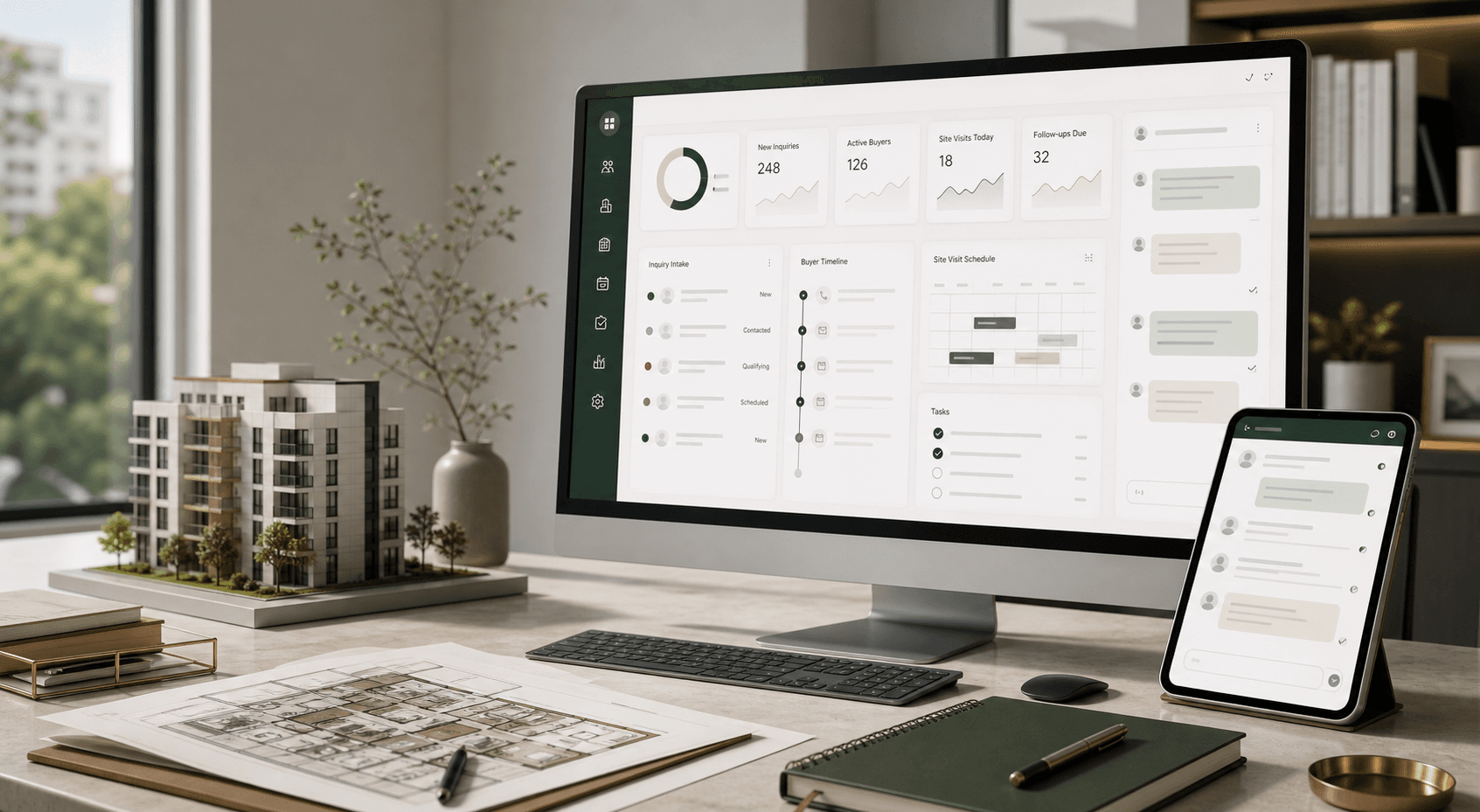
One platform across every real estate channel
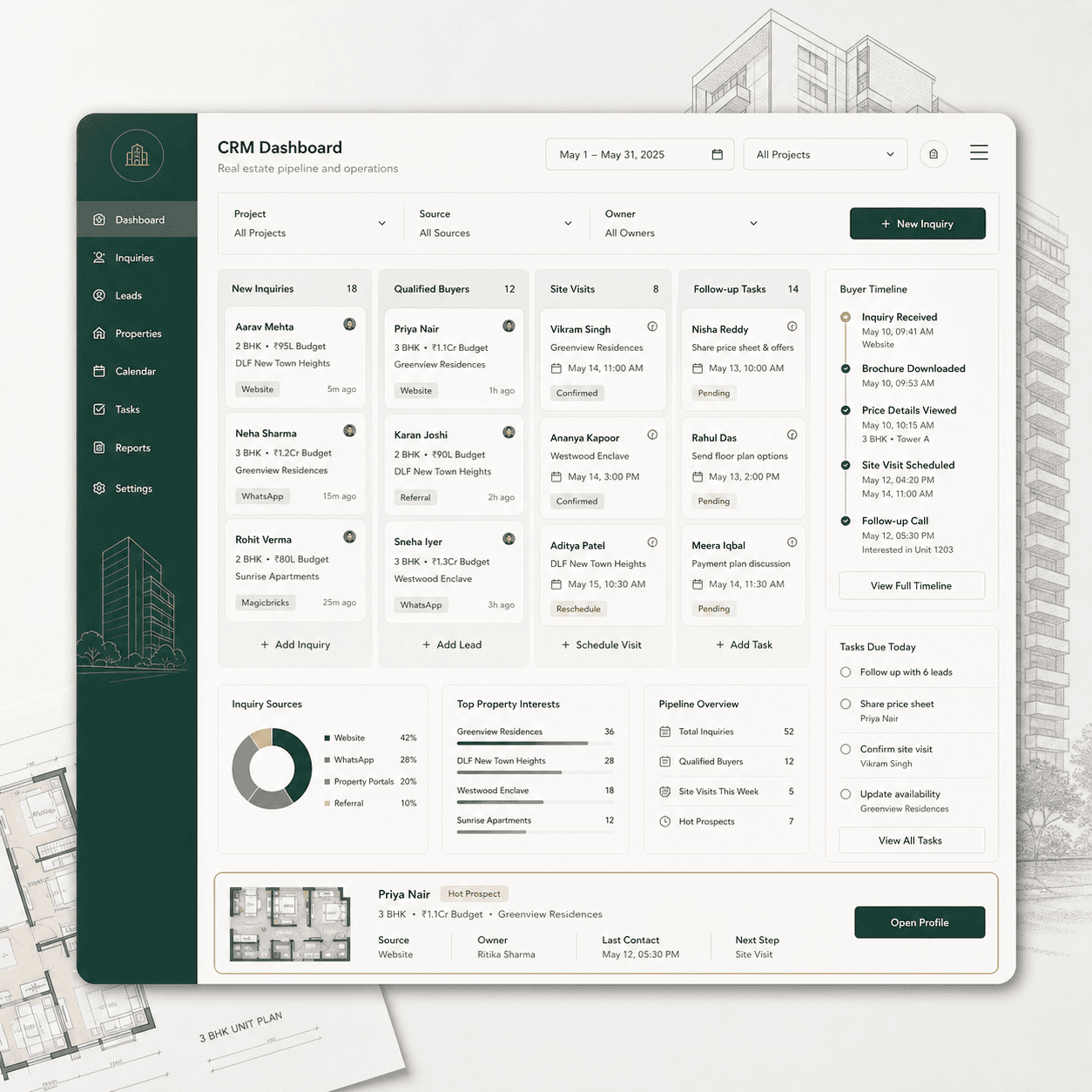
CRM automation in practice
Give sales teams a complete view of buyer requirements, listing interest, source, owner, visit status, and follow-up history.
Every portal, ad, WhatsApp, and web inquiry is structured by project, location, budget, configuration, timeline, and source.
Agents receive cleaner buyer context before they call.
Qualified buyers receive confirmations, map links, reminders, field-team handoffs, and missed-visit follow-up.
Visit operations become easier to track across teams.
Brochure views, listing opens, pricing questions, WhatsApp replies, and repeat interest update the buyer timeline.
Follow-up can reflect what each buyer actually reviewed.
How Brixi works for Real Estate
Lead qualification
Real estate teams receive leads from portals, ads, walk-ins, websites, WhatsApp, and phone calls. Brixi standardizes the intake layer: Aria captures the buyer’s requirement, budget range, location, preferred configuration, timeline, financing context, and channel preference before routing the lead to the right owner.
For builders & developers
From booking to possession, Brixi runs demand, invoicing, collections, and dues on one buyer timeline — so finance teams stop chasing payments on spreadsheets.
Demand
The moment a slab or milestone completes, Brixi raises the demand against each unit’s payment plan and shares it on WhatsApp, email, and the buyer portal — no spreadsheets.

Who it’s for
Same platform, tuned for how your specific segment handles inquiries, visits, ownership, and follow-up.
Coordinate project inquiries, visits, and CP handoffs
Residential developers manage demand from portals, ads, walk-ins, channel partners, and project websites. Brixi brings those touchpoints into one operating view, qualifies buyer requirements, and keeps visit coordination visible across sales and site teams.
Keep complex requirements and stakeholders organized
Commercial property searches involve requirements, budgets, site comparisons, legal review, and several decision makers. Brixi keeps every call, email, document, visit, and next step inside the deal record so teams can manage long cycles with less manual reconstruction.
A shared front desk for distributed agent teams
Brokerages juggle many agents, listings, landlords, buyers, and inbound channels. Brixi gives the team a shared front desk for inquiry routing, SLA tracking, listing context, reminders, and manager visibility.
Manage occupancy journeys from inquiry to renewal
Rental, co-living, and property-management teams need fast inquiry handling, availability updates, move-in coordination, renewal reminders, and resident communication in one workflow.
For every role on your team
Brixi keeps the underlying record shared while each role sees the context, tasks, and next actions relevant to their work.
Project head
Review inquiry volume, qualification quality, visit status, agent ownership, and booking follow-up from a live project dashboard.
Sales manager
Use SLA alerts, buyer context, task queues, and call summaries to manage team activity without asking every agent for a separate update.
CP / channel manager
Track registrations, source claims, handoffs, visit outcomes, and commission-relevant stages from a controlled CP view.
Marketing head
Compare portals, campaigns, landing pages, and WhatsApp flows against qualification rate, visit rate, and follow-up quality.
The Brixi journey
Brixi supports the operational flow from first inquiry to qualified conversation, site visit, booking documentation, and post-sale updates - with AI agents handling repetitive work and the CRM keeping the team aligned.
Step 1
01Aria responds to inbound calls, website forms, and WhatsApp inquiries, then captures location, budget, configuration, buying timeline, and financing context as structured CRM fields.
Step 2
02Agents can share project pages, listing details, brochures, and visit information while Brixi records what was sent, what was opened, and which preferences changed.
Step 3
03Workflows assign qualified buyers by project, location, language, budget, or agent availability, then handle site-visit confirmations, reminders, and missed-visit recovery.
Step 4
04Post-visit notes, objections, loan status, booking amount, document requests, and possession milestones stay attached to the same buyer record.
Operating indicators
Common operational improvements for real estate teams using Brixi across inquiry intake, site visits, and follow-up.
Inquiry to first response
Before
Manual queues
With Brixi
Always-on AI
Site-visit coordination
Before
Agent follow-up
With Brixi
Workflow-led
Lead qualification quality
Before
Free-text notes
With Brixi
Structured fields
Channel-partner visibility
Before
Spreadsheets
With Brixi
Live dashboard
Sales-team admin load
Before
Manual updates
With Brixi
Automated tasks
Compliance-ready
Every conversation, consent and approval is logged — so you never trade speed for oversight.
Maintain conversation, consent, disclosure, and document trails that support disciplined project communication.
Configure outbound voice and WhatsApp suppression rules for do-not-call and opt-out handling.
Tag leads by source, campaign, portal, CP, and consent scope so ownership and campaign reviews stay clear.
Organize identity, booking, loan, and registration-related documents with role-based access and audit history.
Core capabilities
Capture budget, preferred location, unit type, move-in timeline, and financing needs across WhatsApp, voice, and web before an agent takes over.
Share clean project pages, brochures, inventory notes, amenities, location details, and visit instructions from one controlled source of information.
Automate visit scheduling, map links, reminders, field-team handoffs, no-show follow-up, and post-visit tasks without relying on manual message chains.
Give managers a clear view of lead source, owner, response status, visit outcome, next task, and channel-partner contribution across projects.
Works with your stack
 MagicBricks
 Housing.com
 99acres
 Square Yards
 Property Finder
 Bayut
Bayut dubizzle
 Property portals
 WhatsApp
 Gmail
Gmail Outlook
 Meta Ads
 Google Ads
 HubSpot
 Salesforce
 Zoho CRM
Frequently asked
Yes. Brixi can operate as the AI conversation and workflow layer on top of an existing CRM, or it can be used as the primary CRM for teams that want one system.
Yes. Brixi supports CP-scoped access, lead-source tagging, handoff history, audit trails, and manager visibility across partner-driven pipelines.
Teams can configure suppression, opt-out, consent, and audit rules for outbound voice and messaging workflows.
Brixi supports multi-project, multi-city deployments with project-scoped teams, pipelines and reporting.
Brixi protects customer data with end-to-end encryption. Data is accessible only to authorized members of your team, and Brixi’s cloud infrastructure is hosted on AWS.
Initial onboarding takes less than five minutes. You can create your workspace, invite your team, and start configuring Brixi right away. Larger data migrations or custom integrations may require additional setup.
Ready to improve sales operations?
Book a 30-minute demo. We’ll map Brixi’s AI agents, CRM and workflows to your exact channels, team structure and operating model.
Trusted by revenue teams across 4+ channels.